Pitch stays natural
Slowing down never turns voices deep and strange, so you can start slow and step up gradually.
Exam prep
Listening scores come from close listening: replaying one sentence, slowing down linked sounds, and understanding why you missed it. Otoha puts speed control, loops, subtitles, and AI explanations in one player.
Speed, loops, and subtitles are free. Your audio stays on your phone.
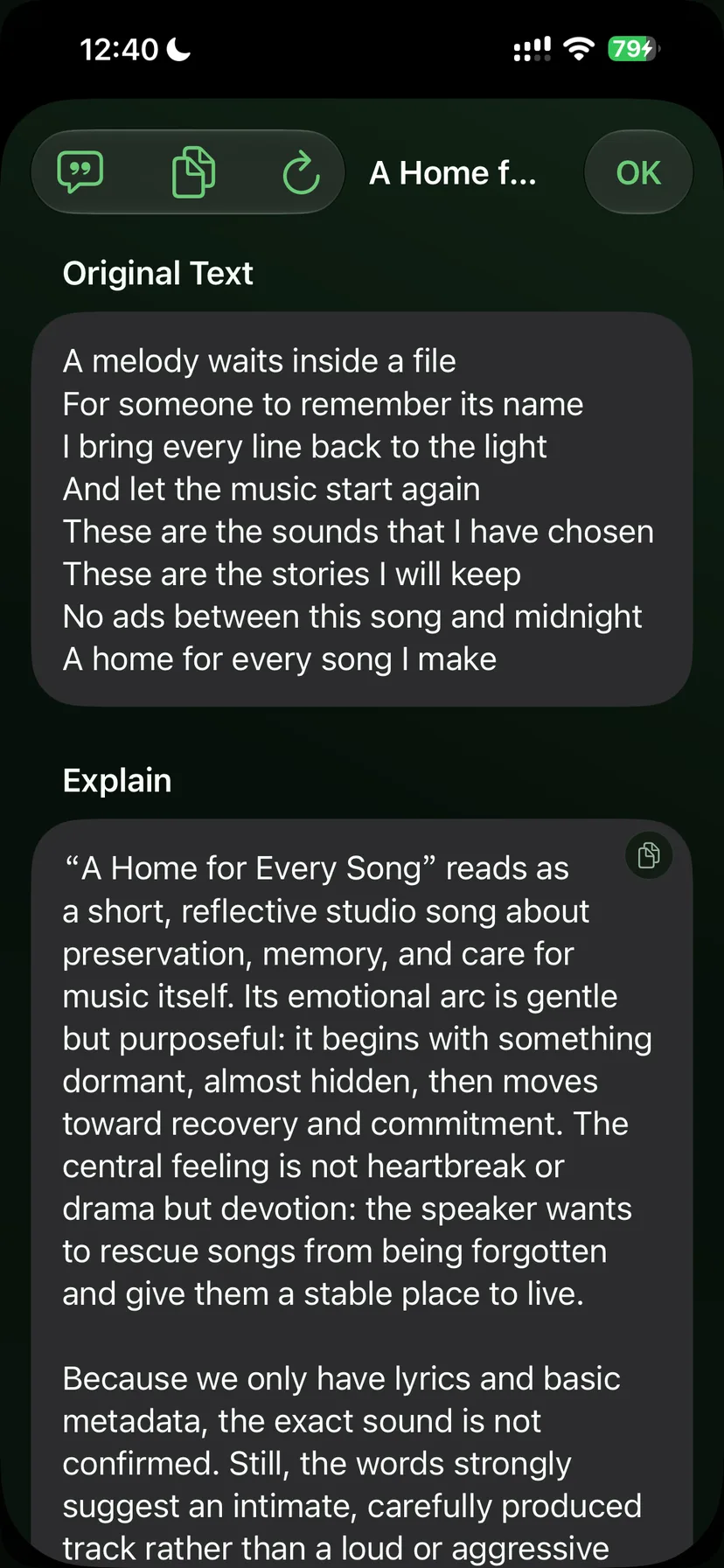
From the file your teacher sent to understanding every sentence.
Share MP3s straight from mail, chat apps, or cloud drives into Otoha, or batch-import from Files into per-subject playlists.
0.5x to 3x speed with no pitch change. Set an A-B range to loop a hard sentence, or jump back a few seconds for one liaison.
On-device transcription lines up subtitles with the audio. Tap a line you missed and ask AI why: vocabulary, grammar, or the sound changes.
Slowing down never turns voices deep and strange, so you can start slow and step up gradually.
Subtitles align to the timeline. Tap to jump, select a range to loop, no scrubbing needed.
Only real playback time counts; pauses do not. See today, this week, and this month at a glance.
No. Otoha keeps pitch constant while changing speed, so voices stay natural even at 0.5x. That makes liaison and reduction practice much easier.
Open the file in mail, chat, or a cloud drive and share it to Otoha, or save it to Files first and import. You can pick a playlist during import.
Yes. Otoha transcribes on your device and generates sentence-level subtitles without uploading the audio.
Subtitles, speed control, and loops are free. On-device AI explanations have a free tier; stronger cloud models are part of the subscription.
Speed, loops, and subtitles are free. Your audio stays on your phone.