Music player for iPhone, iPad, and Mac
OtohaYour music and class audio, with subtitles. Ask AI when a line loses you.
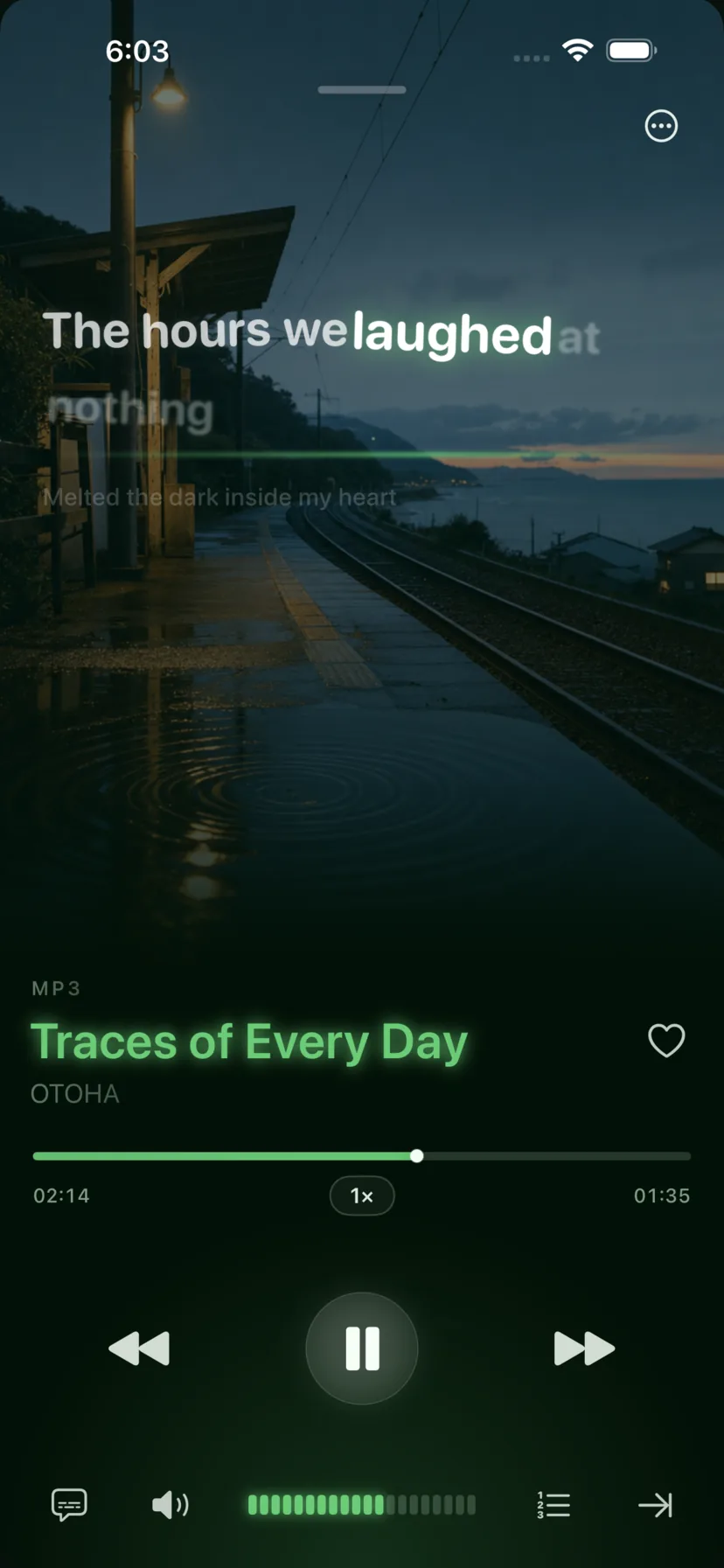
The MP3 your teacher sent, the FLAC you bought, the song you made with AI: they all play here. Lyrics and subtitles follow the music. Tap any line you don't get, and AI explains it.
- Free to play
- No ads
- No sign-up

What it plays
Your music doesn't have to live in one place.
Otoha has no catalog of its own. It plays what you already have, all in one player.
01
Local / iCloud
MP3, FLAC, class recordings, video. Import straight from Files and sort into playlists.
No converting, no iTunes
02
Apple Music
Got a subscription? Sign in and search and play Apple Music right inside Otoha.
Uses your own subscription
03
Podcasts & Suno
Paste an RSS link to subscribe. Sign in to Suno and bring your own songs over, lyrics included.
Lyrics stay in sync
04
World radio & TV
Tune in to live stations and channels from around the world, and save your favorites.
Premium · Needs internet
How it works
From adding a file to really understanding it.
Play, practice, get explanations, and pick the next one, all in one app.
01 · Library
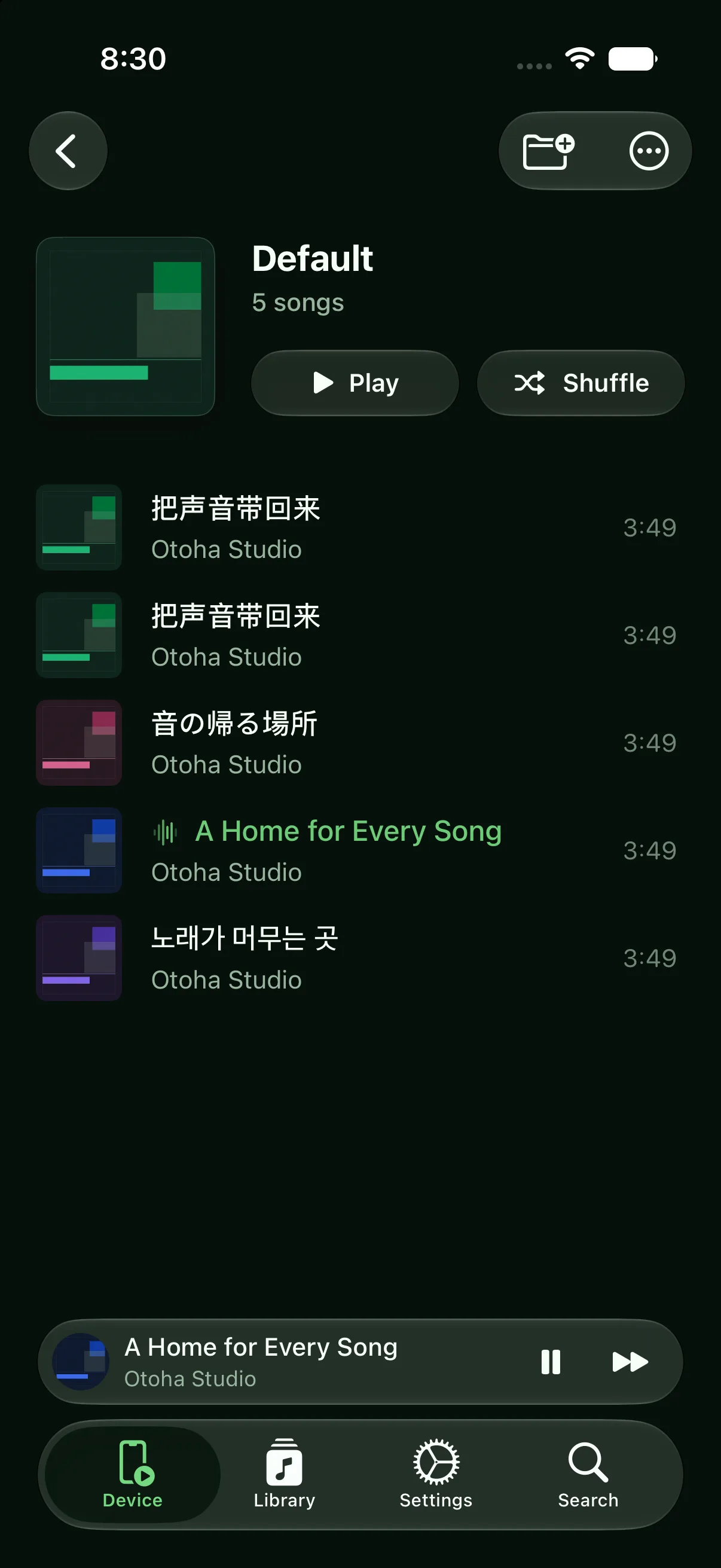
Gather audio from everywhere into your own playlists.
Class audio from a chat, songs from the downloads folder, podcasts you follow. Put them together. They keep playing with the screen locked and pick up where you left off.
About your own library02 · Understand
Missed a line? Tap it and get an explanation.
No subtitles? Otoha turns speech into timed captions. Slow it down, jump back 5 seconds, loop one sentence. Then tap the line and AI explains the meaning, grammar, and words. Ask follow-ups too.
See how listening practice works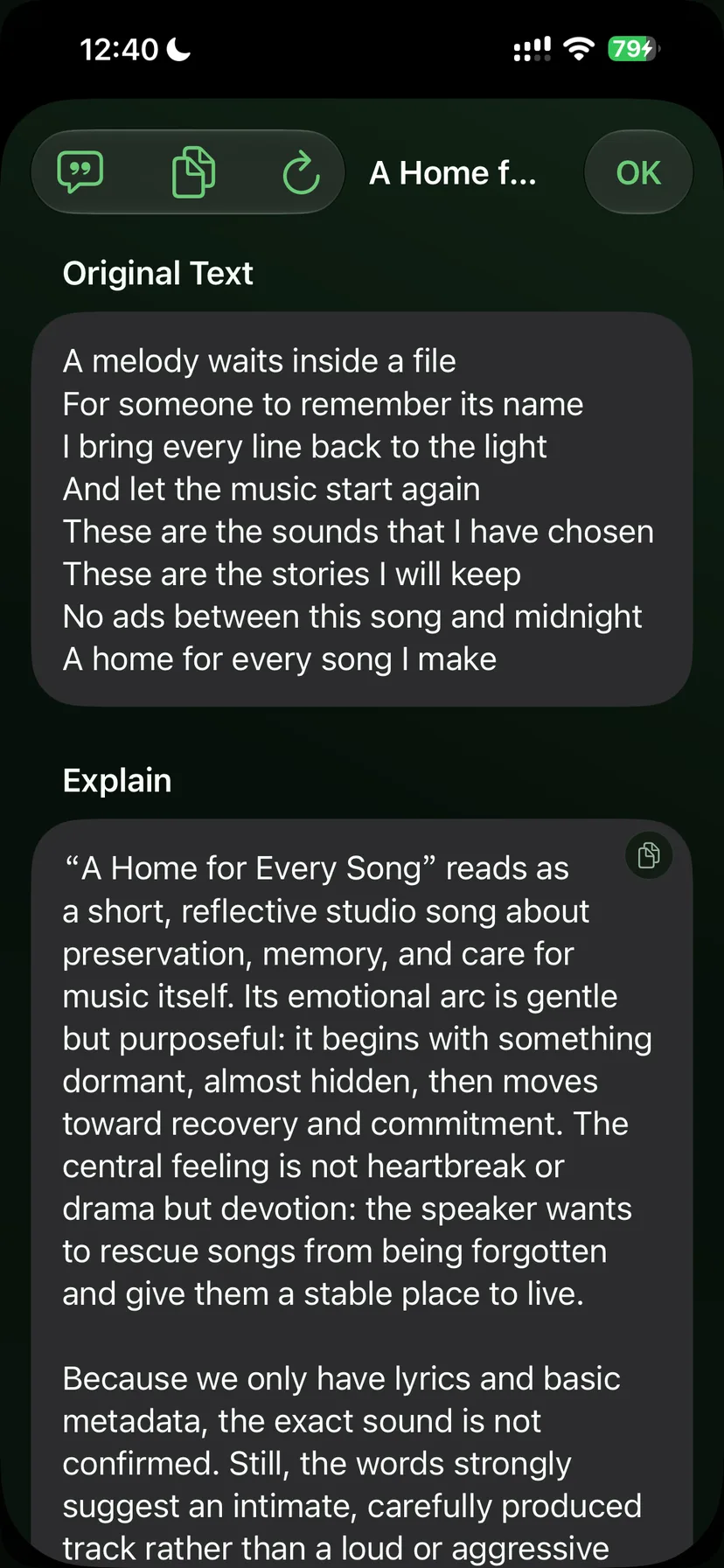
You tell AI DJ
“I'm kind of worn out. Play something that helps me wind down.”
Starts with a few familiar, quiet songs. What you skip or save shapes what comes next.
AI DJ also notices
03 · AI DJ
Say what you feel like hearing. It picks the songs.
No keywords needed. Describe your mood or what you're doing, and AI DJ picks what's next from your library, podcasts, Apple Music, and radio.
About AI DJ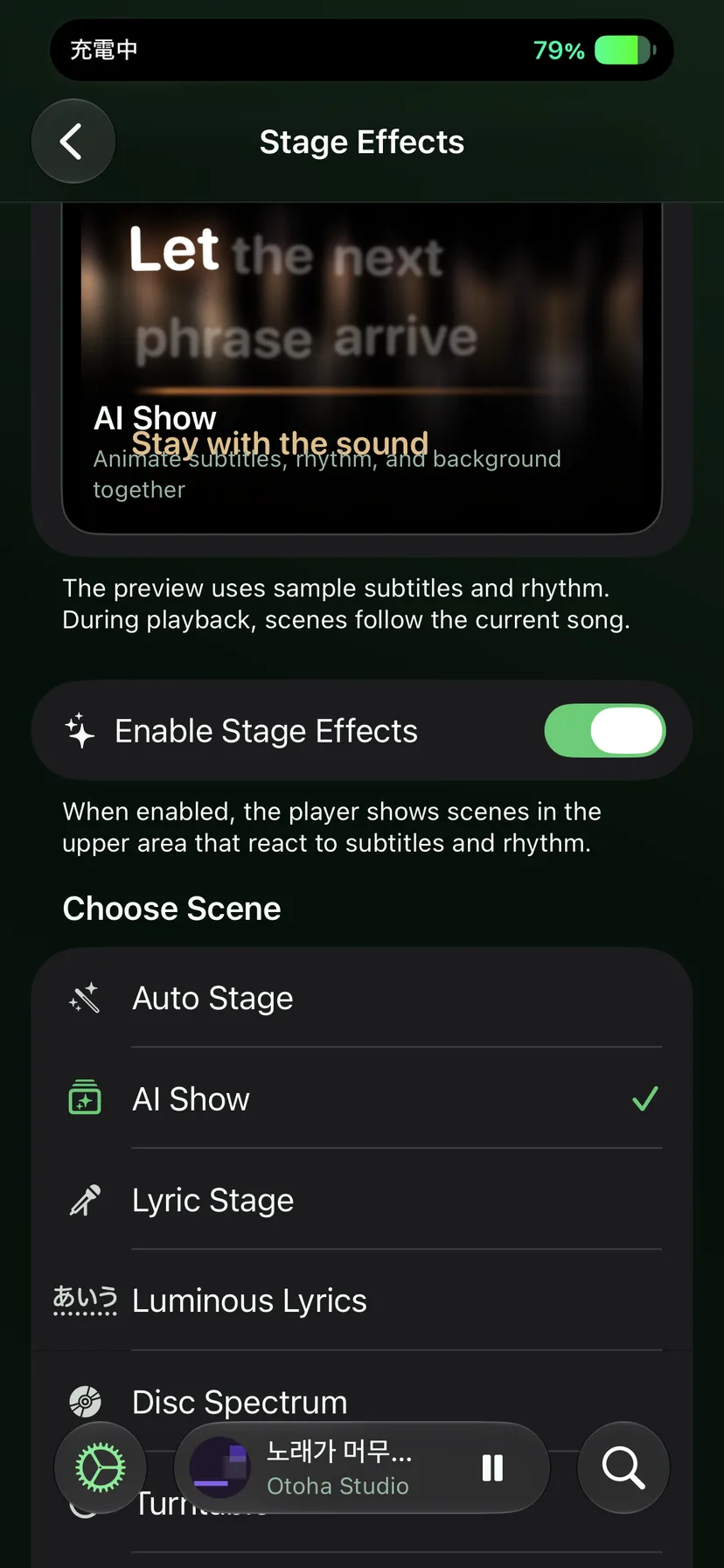
04 · Stage
Lyrics sing along. The screen moves with them.
Word-by-word highlighted lyrics, scenes that change with each song, and lyric cards you can share.
About lyrics and StagePricing
How free is free?
The player is free. No ads, no sign-up. Only AI and a few extras cost money, and you never have to buy them.
Core player
Free
Import, playlists, synced lyrics and subtitles, lock-screen playback, rewind, loops, speed control, speech-to-subtitle. All free.
AI explanations & AI DJ
Optional subscription
$1 for the first month, then monthly. Cancel anytime. On devices with on-device AI, some of this works without a subscription.
Premium
Optional purchase
World radio and TV, more themes and lyric card templates, Stage effects. 30-day free trial.
Apple Music needs your own subscription. Exact prices are shown in the App Store.
Direct macOS edition
Pay once. Use the desktop app forever.
US$99: 30-day free trial, lifetime Premium, plus two years of AI service. You can use your own API key too.
Questions.
What is Otoha?
Otoha is a music player for iPhone and Mac. It plays your own files: MP3, FLAC, class recordings, songs you made with AI. It also connects to Apple Music, podcasts, and radio. Lyrics and subtitles follow the music, and you can ask AI about any line you don't get. Free, no ads, no sign-up.
Does it keep playing when I lock the screen or switch apps?
Yes. It plays in the background and on the lock screen, and shows the current lyric line there too. Audio opened inside a chat app stops when the screen locks. Audio saved in Otoha doesn't.
The file my teacher sent expired in the chat app. What now?
Chat apps delete files after a few days. Files in Otoha live on your phone and never expire. When a file arrives, tap Share and save it to Otoha. Voice memos need to be converted to a file first.
Does importing copy my files and double my storage?
Importing from Files and iCloud doesn't copy anything. Otoha reads the original. Single files that come in through Share are stored inside Otoha. Deleting a playlist never deletes your originals.
Does my audio get uploaded anywhere?
No. Playback, your library, and listening stats stay on your device. Only when you ask AI to explain a line is that line's text sent to the AI. See the privacy policy for details.
Download Otoha.
Put your next song or class audio file in a library of your own.
iPhone · iPad · macOS
App Store edition, free download
One App Store listing covers iPhone, iPad, and Mac. Local playback, listening practice, and speech-to-subtitle transcription are free, with no ads or account.
Direct macOS edition
30-day trial, US$99 lifetime
Download the Apple-notarized DMG and try the complete desktop edition. Pay once after the trial to unlock every Premium feature permanently.
Requires iOS 26+ for AI learning features. macOS player requires macOS 15.6+.