Bilingual lyrics
Foreign songs can show the original and a translation together. Knowing the meaning makes the delivery easier.
Sing along
The fastest way to learn a song is singing with the lyrics in front of you. Otoha scrolls lyrics line by line, shows translations beside foreign lyrics, and turns favorite lines into shareable cards.
Lyrics display is free. Your files stay on your phone.
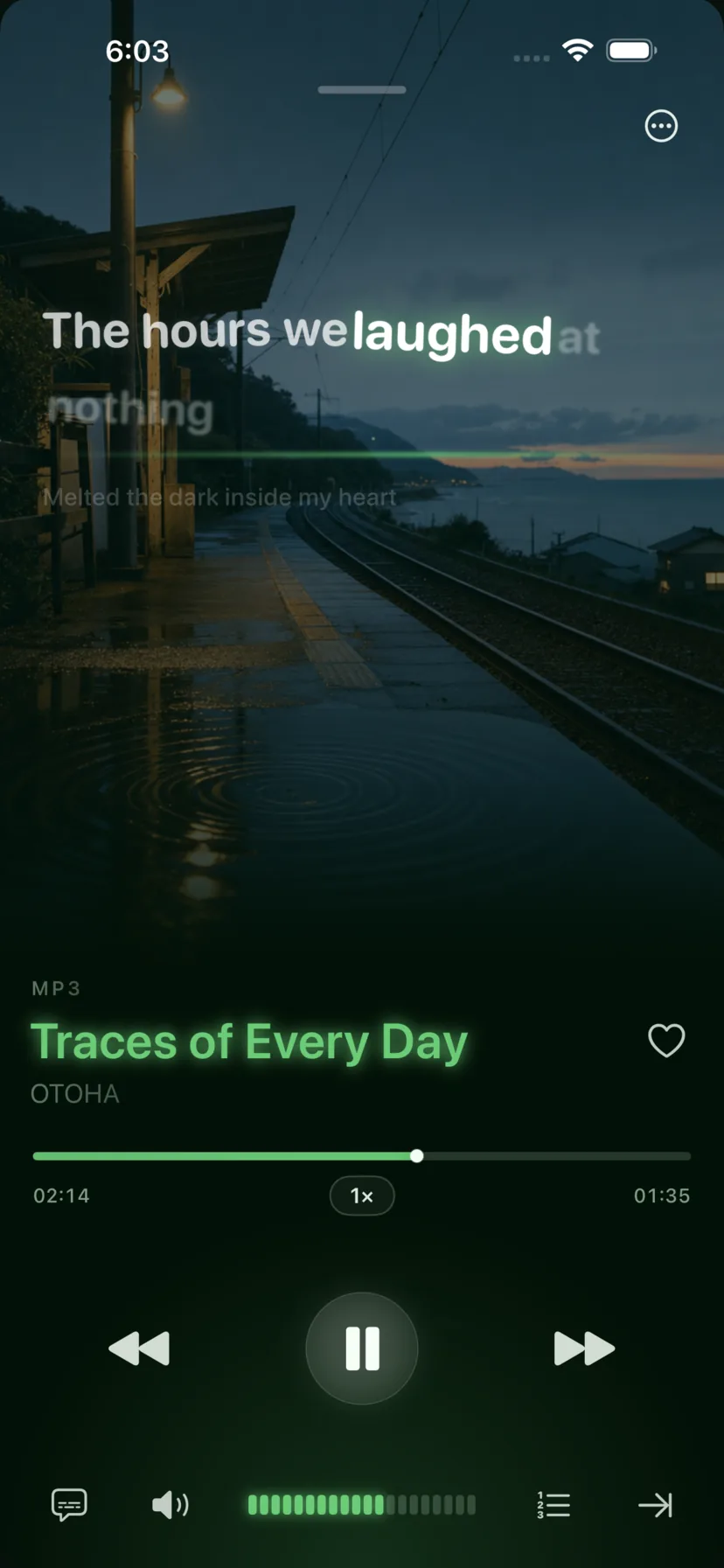
Lyrics, loops, and sharing: everything sing-along needs.
Songs get lyrics matched automatically after import. You can also load your own LRC files or edit lines.
The current line highlights as it scrolls. Loop a hard verse with A-B repeat, or slow the tempo down.
Select a line you love, generate a card, and share it to Instagram or X, or save it to Photos.
Foreign songs can show the original and a translation together. Knowing the meaning makes the delivery easier.
Practice fast songs at 0.75x while staying in the original key.
Set a range on the chorus or the high note and repeat until it sticks.
Import the song into Otoha and lyrics scroll line by line with the current line highlighted. You can also import your own LRC lyric files.
Yes. Select the lines you like and generate a lyric card to share on Instagram or X, or save to Photos.
Yes. Lyrics support bilingual display with the original and translation line by line.
Lyrics display is free. Your files stay on your phone.